As an Amazon Associate, I earn from qualifying purchases.
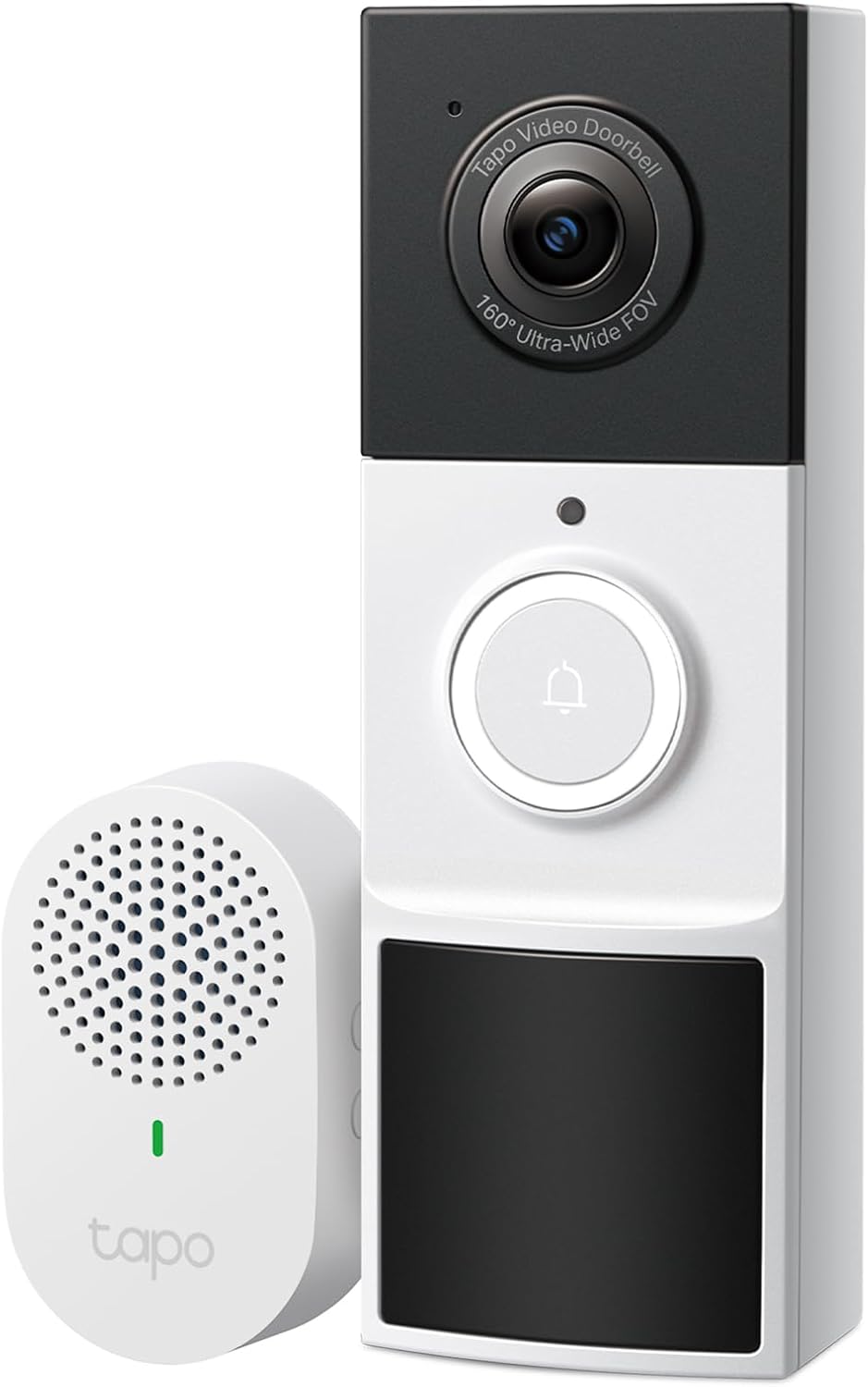
The Tapo D210 video doorbell has become one of the most popular budget-friendly smart doorbells of 2025, and for good reason. When I was searching for an affordable Tapo D210 video doorbell that didn’t require a monthly subscription, this TP-Link model kept appearing in my research. At under $80 (often on sale for $60-70), the Tapo D210 video doorbell promised 2K video quality, person detection, and a wireless chime included—all without ongoing fees. After three months of daily use at my front door, I can tell you exactly what this budget doorbell does well and where it falls short.
The Tapo D210 video doorbell sits in that sweet spot between cheap, unreliable doorbells and premium $200+ models. It’s TP-Link’s entry-level battery-powered doorbell, designed for renters, first-time buyers, or anyone wanting smart home security without breaking the bank or committing to subscriptions.
In this honest Tapo D210 video doorbell review, I’ll share my real-world experience with video quality, battery life, AI detection accuracy, and overall performance. If you’re wondering whether the Tapo D210 video doorbell is worth your money, this comprehensive breakdown will help you decide.
Tapo D210 Video Doorbell Review:
Product Overview
Product Name: TP-Link Tapo D210 2K Battery Video Doorbell
What’s Included:
- Tapo D210 Video Doorbell
- Wireless plug-in chime
- Mounting bracket
- 15° horizontal mounting wedge
- Mounting template
- 3M adhesive pad
- Foam pad
- Mounting screws and anchors
- Doorbell detaching pin
- USB charging cable
- Quick start guide
My 3-Month Tapo D210 Video Doorbell Testing Experience
I installed the Tapo D210 video doorbell at my front door in November 2024. My testing environment:
Installation location: Covered front porch (partial weather protection) Usage pattern: 15-25 motion events daily, 3-5 doorbell rings weekly Environment: Suburban home, moderate foot traffic, package deliveries 3x weekly Wi-Fi: Strong signal (router 20 feet away through one wall)
First Impressions
Unboxing: Everything needed for installation is included except the microSD card (optional). The wireless chime is a nice touch—many competitors charge extra for this.
Build quality: The Tapo D210 video doorbell feels solid, not cheap like some budget options. The plastic housing is thick, and the button has a satisfying click. However, the design is somewhat bulky and utilitarian—it won’t win any beauty contests.
Setup: Installation took about 20 minutes total. The Tapo app walked me through setup step-by-step. Charging the Tapo D210 video doorbell from empty took approximately 5 hours via the included USB cable.
Video Quality: Good Enough, Not Great
Rating: 3.5/5
The 2K resolution sounds impressive on paper, but real-world performance is more nuanced. In good daylight, video is sharp enough to clearly identify faces and read package labels from 10-15 feet away. Colors are reasonably accurate, though slightly oversaturated.
Where it excels:
- Clear facial recognition within 15 feet
- Package details visible
- Adequate color reproduction
- Handles moderate backlighting reasonably well
Where it struggles:
- Direct sunlight creates washout
- Fine details aren’t as sharp as true 2K suggests
- Slight fish-eye distortion at frame edges (expected with wide-angle lens)
- Video compression visible in fast-moving scenes
Comparison: The D210’s daytime video lags behind premium doorbells like the Ring Video Doorbell Pro 2 or Google Nest Doorbell, but handily beats budget options like the Blink Video Doorbell. According to CNET’s video doorbell testing, 2K resolution at this price point is impressive but often involves compression trade-offs.
Rating: 4/5
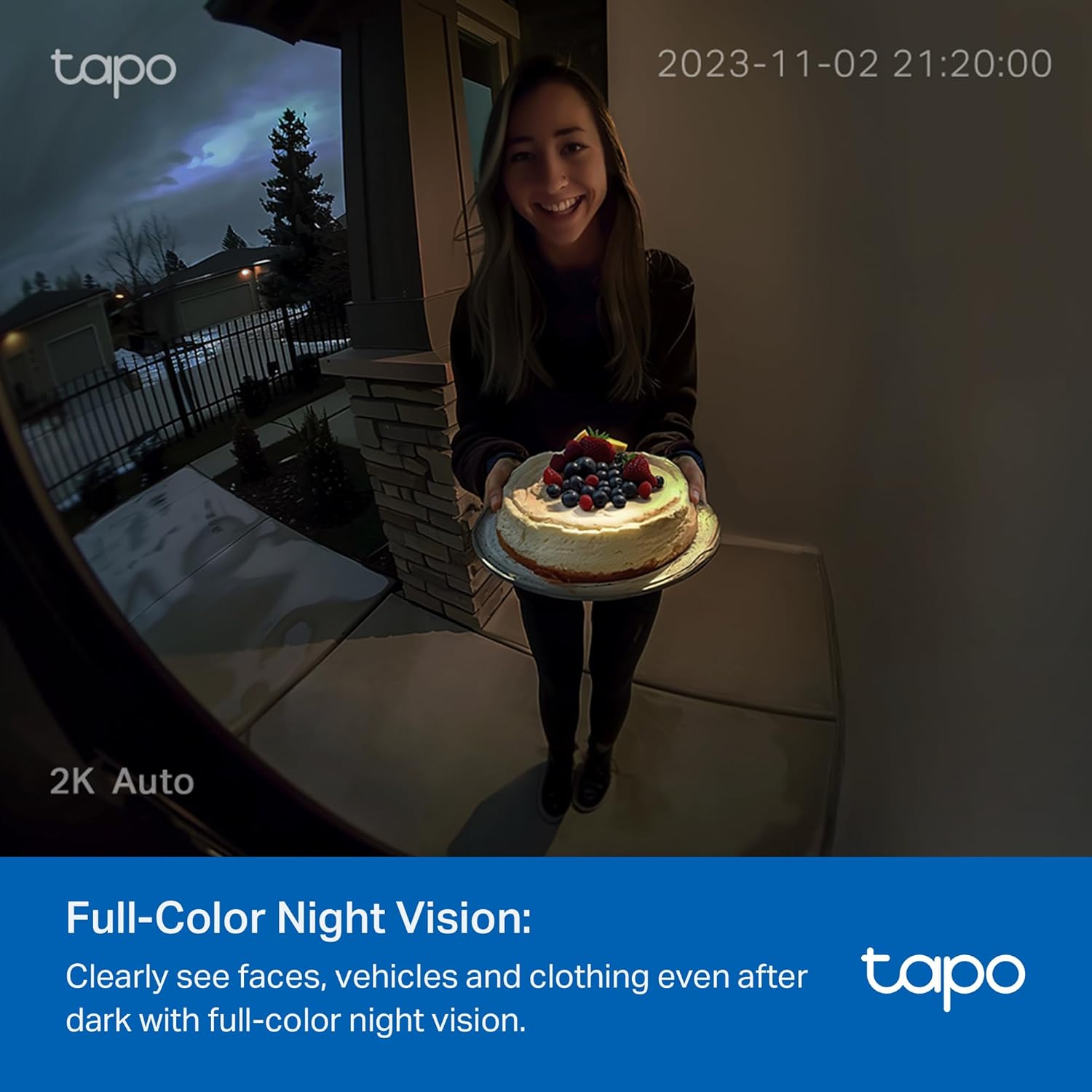
This is where the D210 surprises. The color night vision with LED spotlight works remarkably well. When motion triggers the spotlight, you get full-color video that clearly shows faces, clothing colors, and package details—even in complete darkness.
Spotlight modes:
- Auto: Activates when motion detected (recommended)
- Always on: Spotlight stays lit (drains battery quickly)
- Off: Uses infrared night vision only
My experience: I keep it on Auto mode. The spotlight activates within 1-2 seconds of motion detection and provides surprisingly bright illumination up to 15-20 feet. The color night vision genuinely helps identify people and vehicles that infrared alone would miss.
Minor issue: The spotlight can be somewhat aggressive for nighttime visitors, basically shining a bright light in their face. You can adjust brightness in the app, but even at lower settings, it’s quite bright.
Field of View
Rating: 4/5
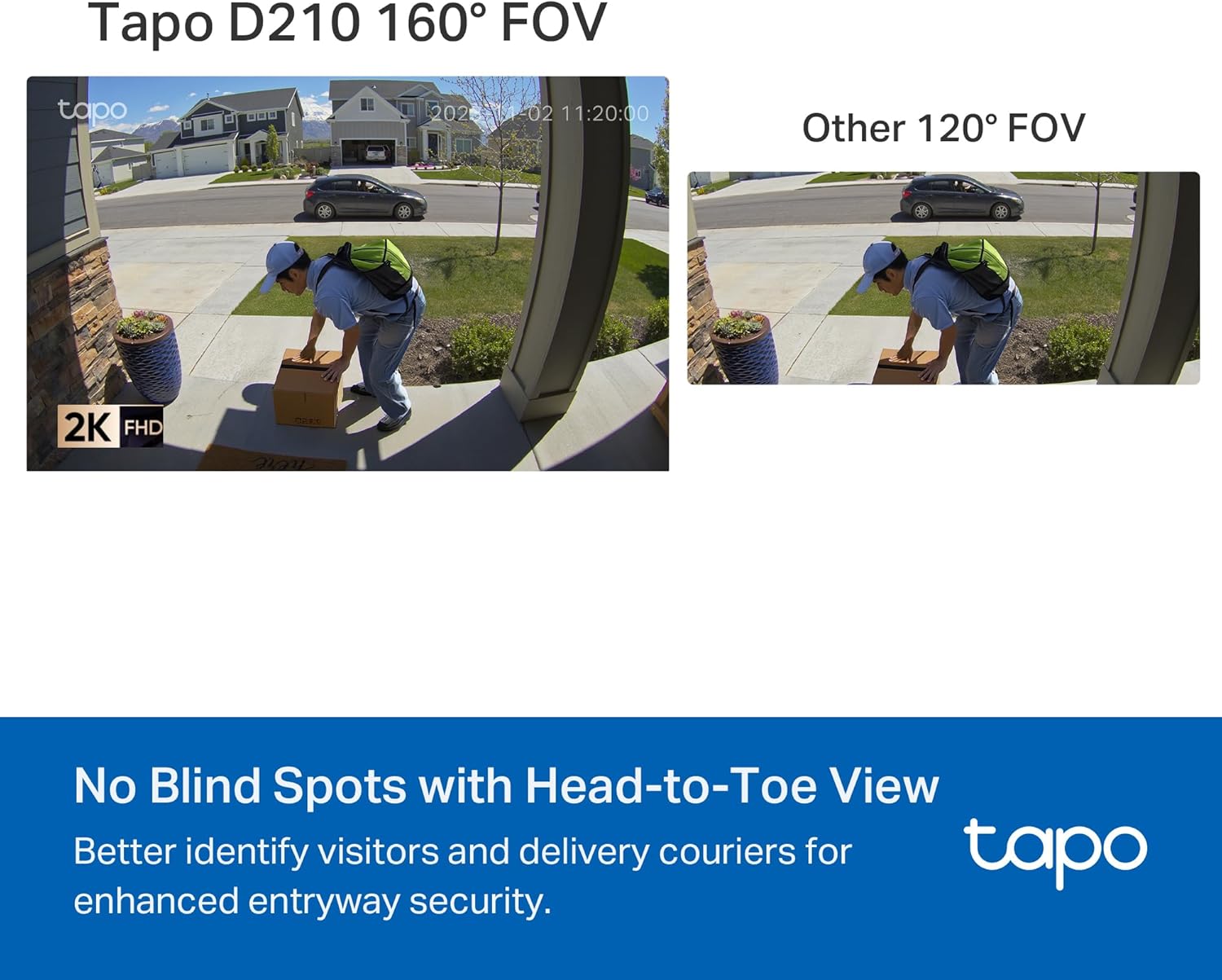
The 160° diagonal field of view is genuinely wide. Unlike many doorbells with 120-130° views, the D210 captures a proper head-to-toe view with room to spare. The 16:9 aspect ratio (unusual for doorbells) works well for this application.
What I can see:
- Full body view of people at door
- Packages left on porch (3-4 feet to either side)
- Person approaching from angles
- Most of my 6-foot-wide porch
Trade-off: The wide angle creates some distortion at the frame edges, but it’s not severe enough to bother me. I’d rather have the extra coverage.
Audio Quality: Serviceable Two-Way Communication
Speaker Quality
Rating: 3/5
The doorbell’s speaker is adequate for basic communication but not exceptional. Visitors can hear you clearly when you speak, though there’s noticeable compression and slight tinny quality.
Observations:
- Volume is sufficient (visitors 6-8 feet away hear clearly)
- Some audio distortion at higher volumes
- Preset Quick Responses sound clearer than live speech
- No significant echo or feedback issues
Microphone Quality
Rating: 3/5
The doorbell microphone picks up visitor speech reasonably well in calm conditions. You can understand what people are saying and have basic conversations.
Challenges:
- Wind noise can be problematic (though less than expected for a budget model)
- Traffic noise sometimes overwhelms speech
- Some audio compression creates slight robotic quality
- About 0.5-1 second delay in two-way communication
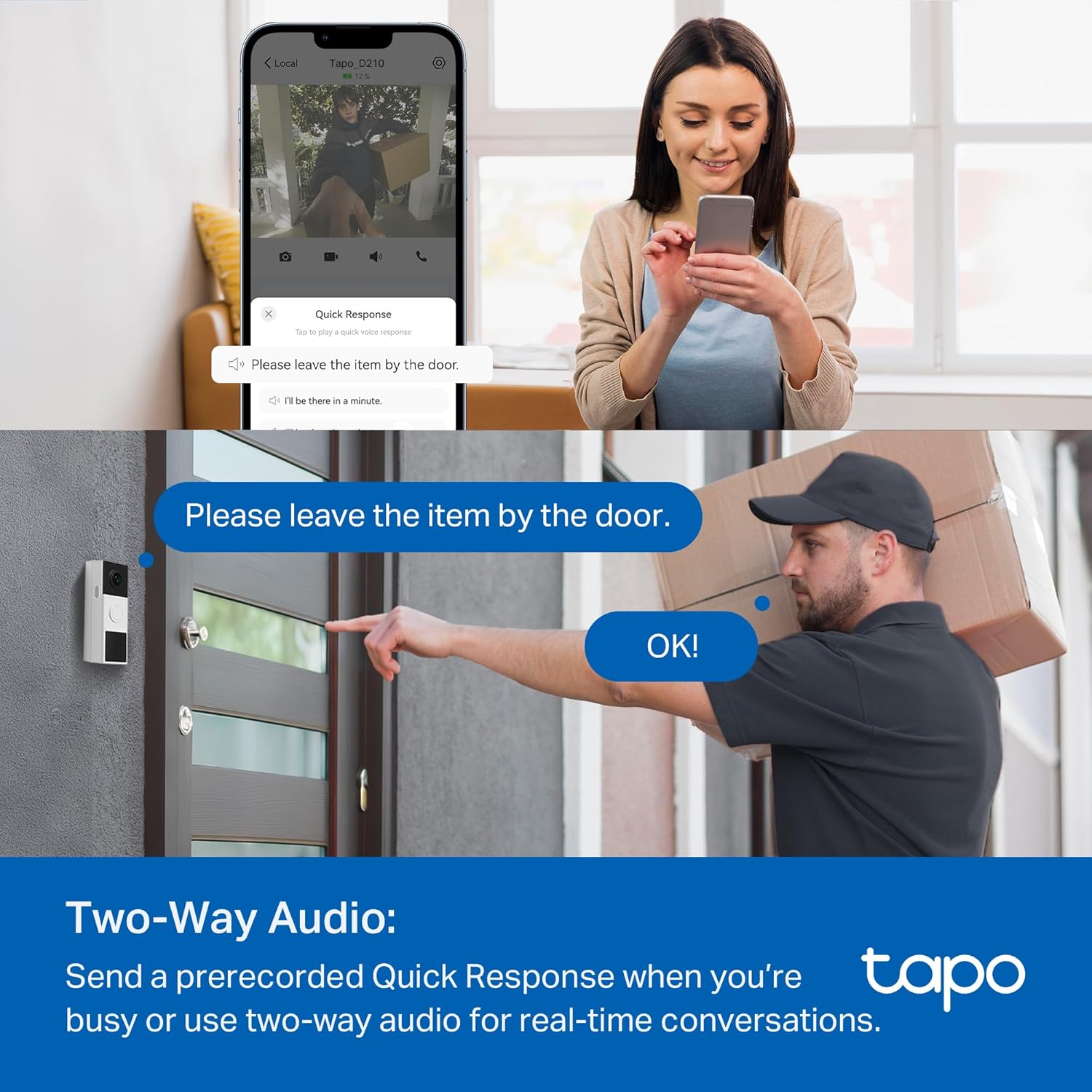
Real-world use: I’ve successfully given delivery instructions and communicated with visitors. It’s functional but not ideal for extended conversations. The preset “Quick Response” messages (leave package at door, be right there, etc.) work better than live two-way audio.
Tapo D210 Video Doorbell: Smart Features Analysis
Person Detection (Free)
Rating: 4.5/5
This is one of the Tapo D210 video doorbell’s strongest features. The AI person detection works surprisingly well without any subscription—rare at this price point.
Accuracy in my testing:
- True positives: 90%+ of actual people detected correctly
- False positives: ~5% (mostly large dogs, occasionally swaying trees)
- Missed detections: ~5% (usually people at edge of frame or moving very quickly)
What I appreciate:
- Detects people immediately, even at frame edges
- Distinguishes people from cars, animals (mostly), and other motion
- Works day and night with similar accuracy
- No subscription required for this feature
Limitation: No package detection, vehicle detection, or facial recognition—those require more expensive models or subscriptions with other brands.
Motion Zones
Rating: 4/5
You can define custom motion zones to eliminate unwanted alerts. I created zones that exclude my street and neighbor’s yard, focusing only on my porch and walkway.
Effectiveness: Works well. After configuring zones, my false alerts from passing cars dropped from 15-20 daily to near zero.
Setup: Drawing zones in the app is straightforward. You can create multiple zones and adjust sensitivity per zone.
Quick Responses
Rating: 4/5
Preset messages let you respond to visitors without speaking. Options include:
- “We’ll be right there”
- “Please leave the package at the door”
- “We’re not interested”
- Custom messages (you can record your own)
Use case: Perfect when you’re in a meeting, can’t talk, or don’t want to engage in conversation. The doorbell plays your selected message with a single tap.
Ring Call Feature
Rating: 3.5/5
When someone rings the doorbell, you can receive an actual phone call (through the app, not cellular) rather than just a notification. This means answering is faster than opening the app.
My experience: It works, but the call quality isn’t as good as using the app directly. There’s more lag and occasional connection issues. I turned this feature off after a few weeks and just use app notifications.
Rating: 4/5
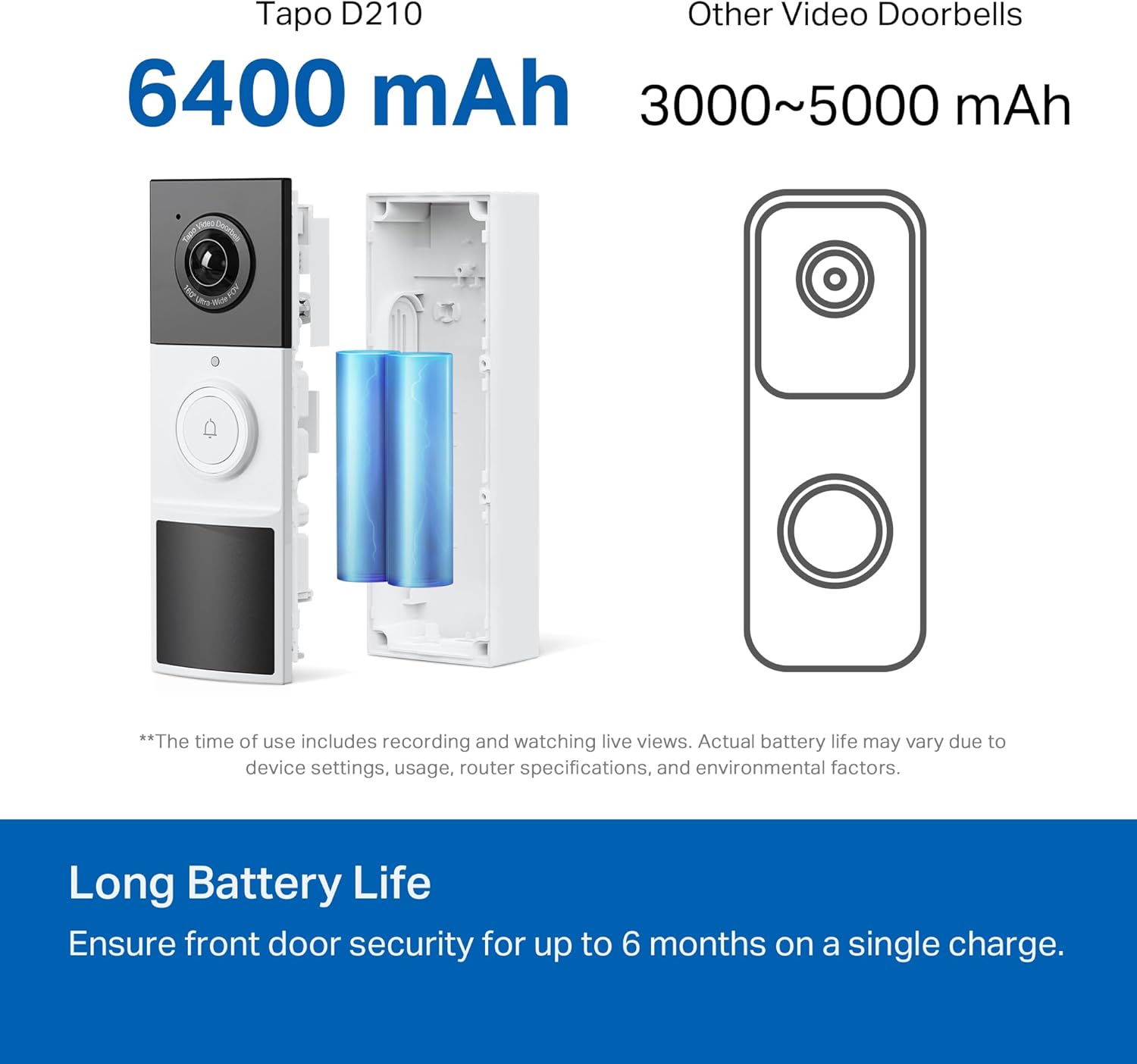
The 6400mAh battery delivers respectable life for a battery-powered doorbell. TP-Link claims “up to 6 months” which, as always, depends heavily on usage. For more information on smart home battery optimization, check out TechRadar’s battery doorbell guide.
My results (3 months so far):
- Starting charge: 100% (December 1)
- Current charge: 62% (March 1)
- Projected lifespan: 7-8 months at this rate
My usage profile:
- 15-25 motion events daily
- 3-5 doorbell rings weekly
- Live view checked 2-3 times daily
- Moderate sensitivity settings
- Spotlight on auto mode
Battery drain factors:
- High-sensitivity motion detection drains faster
- Frequent live view access impacts battery significantly
- Cold weather (below 40°F) reduces battery life ~15-20%
- Spotlight usage (more motion = more spotlight activation)
Charging: Requires removing the Tapo D210 video doorbell and charging via USB-C cable. Full charge takes 4-5 hours. Not as convenient as solar charging or hardwired power, but not terrible for twice-yearly maintenance.
Note: TP-Link sells an A201 solar panel accessory ($30-40) for continuous charging if you want to avoid manual charging.
App Experience: Better Than Expected
Rating: 4/5
The Tapo app is clean, responsive, and feature-rich for a budget device. It controls all TP-Link Tapo devices, so if you have their cameras or smart plugs, everything’s in one app.
What works well:
- Intuitive interface, easy to navigate
- Fast loading (live view connects in 3-5 seconds typically)
- Reliable notifications (rarely missed)
- Good event history timeline
- Extensive customization options
What could improve:
- No widget for iPhone/Android home screens
- Event thumbnails only with paid Tapo Care subscription (free notifications are text-only)
- Occasional notification delays (3-10 seconds variance)
- Can’t view multiple cameras simultaneously in one screen
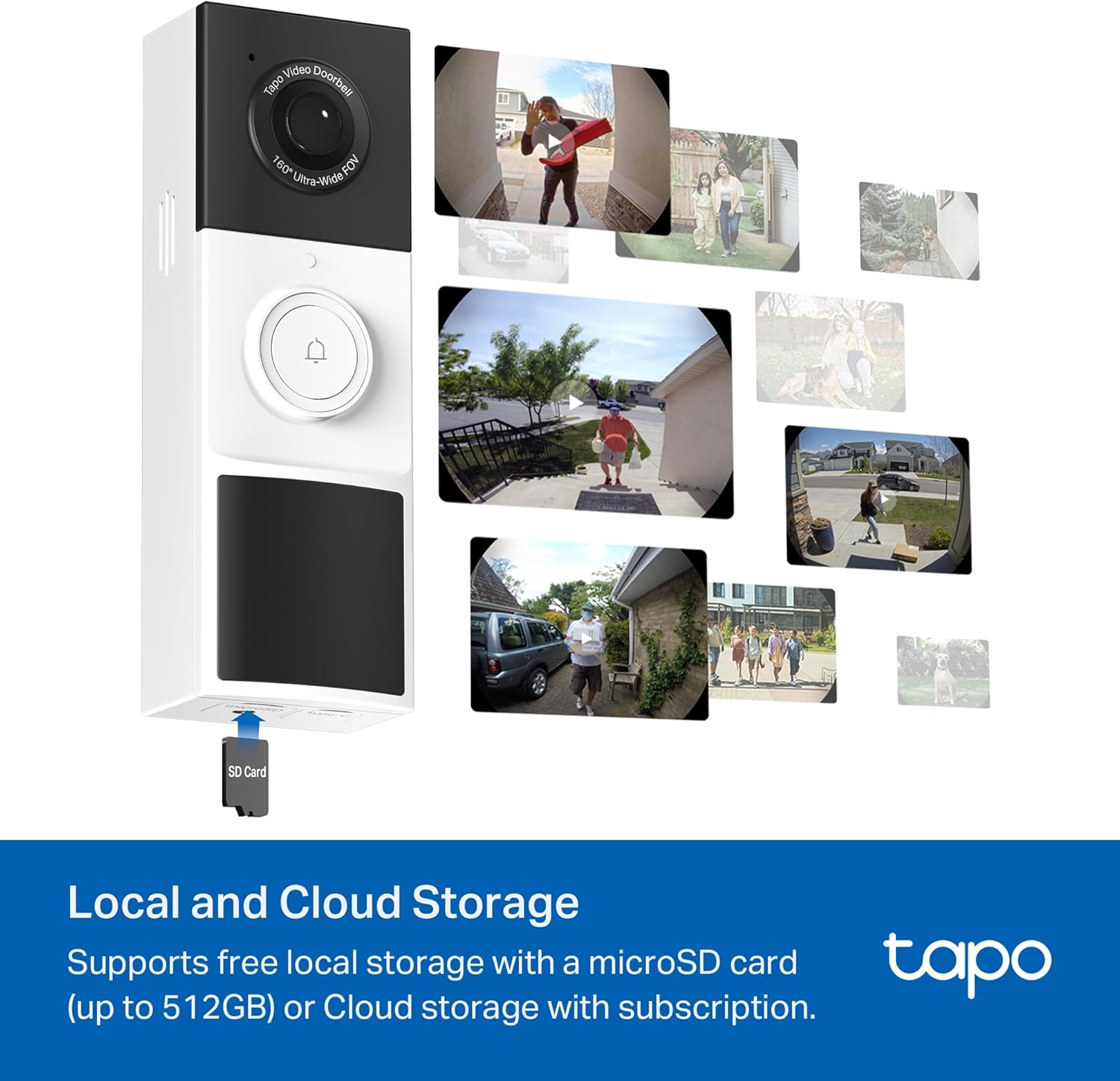
Cloud storage option (Tapo Care):
- 30-day free trial included
- $2.99/month or $29.99/year per device after trial
- Stores 30 days of video history in cloud
- Includes rich notifications with thumbnails
- Person detection history with snapshots
My choice: I use a 128GB microSD card for local storage. It holds about 30 days of motion events without subscription costs. Cloud storage is convenient but not necessary unless you want off-site backup.
Tapo D210 Video Doorbell: Installation Guide
Rating: 5/5
Installation couldn’t be simpler for a video doorbell. No wiring means no electrician needed—perfect for DIY installation.
Installation steps:
- Charge doorbell fully
- Download Tapo app and create account
- Add doorbell to app (follow in-app instructions)
- Mount bracket using screws or adhesive
- Attach doorbell to bracket (magnetic click)
- Adjust angle with included wedge if needed
- Plug in wireless chime
Time: 20-30 minutes total (including app setup)
Mounting options:
- Screws: Most secure, requires drilling (recommended)
- 3M adhesive: No drilling, but less secure for theft prevention
My setup: I used screws. The included template made drilling perfectly aligned holes easy. The 15° wedge allows angle adjustment for doors that aren’t perpendicular to the approach path.
Wireless chime: Plugs into any outlet. Pairing is automatic. Range is excellent (works from opposite end of my 2,000 sq ft house). You can adjust volume and choose from multiple ringtones in the app.
Who Should Buy the Tapo D210 Video Doorbell?
Perfect for:
- Budget-conscious buyers wanting smart doorbell features under $100
- Renters who can’t install wired doorbells
- First-time buyers exploring video doorbells without major investment
- Subscription avoiders wanting free smart features
- TP-Link ecosystem users already using Tapo cameras/devices
Skip this if:
- You need premium video quality for identification at distance
- Package detection is essential
- You want the sleekest, most aesthetic doorbell
- Apple HomeKit compatibility is required
- You need continuous 24/7 recording
Based on my experience, here’s how to maximize your Tapo D210 video doorbell:
1. Optimize Wi-Fi connection
- Place router as close as practical (ideally within 30 feet)
- Use Wi-Fi extender if needed
- Dedicate 2.4GHz network for smart devices if possible
2. Configure motion zones carefully
- Exclude streets, sidewalks, neighbor’s yard
- Focus on your property only
- Reduces false alerts dramatically
3. Adjust motion sensitivity
- Start at medium sensitivity
- Increase if missing events
- Decrease if too many false alerts
4. Use local storage
- Buy a quality microSD card (SanDisk or Samsung, 128GB+)
- Saves subscription costs
- Provides 30+ days of storage
5. Position spotlight thoughtfully
- Test at night before final mounting
- Ensure spotlight illuminates face area
- Adjust brightness if too aggressive
6. Charge before winter
- Cold weather reduces battery life
- Start winter with 100% charge
- Consider solar panel in very cold climates
7. Clean lens quarterly
- Dust and grime accumulate
- Degrades video quality
- Quick wipe with microfiber cloth helps
Tapo D210 Video Doorbell: Final Verdict
Overall Rating: 4/5 Stars
The Tapo D210 video doorbell delivers impressive value at its sub-$80 price point. It’s not perfect—video quality doesn’t match premium doorbells, and two-way audio is merely functional—but for the money, it’s hard to beat.
Buy the Tapo D210 video doorbell if:
- You want smart doorbell features without subscription fees
- You need no-wire installation (battery-only)
- You’re budget-conscious but want quality
- Free person detection is important to you
- You value practical features over premium aesthetics
Skip the Tapo D210 video doorbell if:
- You need best-in-class video quality
- Package detection is essential
- You want continuous 24/7 recording
- Apple HomeKit is required
- You prefer premium design/build quality
My personal recommendation: For $60-80, the Tapo D210 video doorbell is one of the best values in video doorbells. It’s not competing with $200+ premium models, but it doesn’t need to—it delivers the core features most people actually use at a fraction of the price.
After three months of daily use, I’m genuinely satisfied. The Tapo D210 video doorbell does exactly what I need: alerts me to visitors, lets me see and communicate with them, and records motion events—all without monthly fees. The video quality is “good enough” for identification, battery life is solid, and setup was effortless.
If you’re looking for an affordable, no-subscription video doorbell that actually works well, the Tapo D210 video doorbell deserves serious consideration. It’s become my top recommendation for budget-conscious buyers.
Bottom line: Highly recommended for its price point. The Tapo D210 video doorbell proves you don’t need to spend $200+ or commit to subscriptions for effective smart doorbell security.
For more smart home security options, check out our guides on best home security cameras, smart lock reviews, and complete home automation setup.
Frequently Asked Questions
How long does the Tapo D210 battery actually last?
In my testing with moderate use (15-25 motion events daily, 3-5 doorbell rings weekly), the battery lasted approximately 3 months and still had 38% remaining, projecting 7-8 months total. Heavy use (high sensitivity, frequent live viewing, many motion events) will reduce this to 3-4 months. Light use could extend battery life to the advertised 6 months or slightly beyond. Cold weather (below 40°F) reduces battery life by approximately 15-20%. You can extend battery life by using an optional A201 solar panel accessory ($30-40) or hardwiring to a transformer.
Can the Tapo D210 be hardwired instead of using battery?
No, the D210 is battery-only and cannot be hardwired to existing doorbell wiring. If you want hardwired capability, consider the Tapo D130 (wired-only) or D225 (dual-power: battery or hardwired). The D210’s battery-only design is intentional for maximum installation flexibility and lower price point, perfect for renters or homes without existing doorbell wiring.
Does the Tapo D210 work without a subscription?
Yes! The D210 works fully without any subscription. You get person detection, motion zones, two-way audio, and local storage (with microSD card) completely free. The optional Tapo Care subscription ($2.99/month or $29.99/year) adds cloud storage (30 days of video history) and rich notifications (thumbnails in alerts), but these aren’t necessary for core functionality. This makes the D210 significantly more affordable long-term compared to Ring or Nest doorbells that paywall basic features.
What size microSD card should I buy for the Tapo D210?
The D210 supports microSD cards up to 512GB (sold separately). I recommend a 128GB or 256GB card for most users—128GB stores approximately 30 days of motion events with typical activity levels. Buy from reputable brands (SanDisk, Samsung) and look for cards rated A1 or A2 for app performance, Class 10 minimum, and “High Endurance” cards designed for continuous recording. A 128GB card costs $15-25 and eliminates need for cloud storage subscriptions.
Can I connect the Tapo D210 to my existing doorbell chime?
No, the D210 is battery-powered and cannot connect to existing wired doorbell chimes. It includes a wireless plug-in chime that pairs with the doorbell via the app. The wireless chime is surprisingly loud (up to 102dB, adjustable), offers multiple ringtones, and can be plugged into any outlet in your home. You can also receive notifications on your smartphone, smart displays (Alexa/Google), and through the Tapo app, providing multiple alert options.
Does the Tapo D210 work with Apple HomeKit?
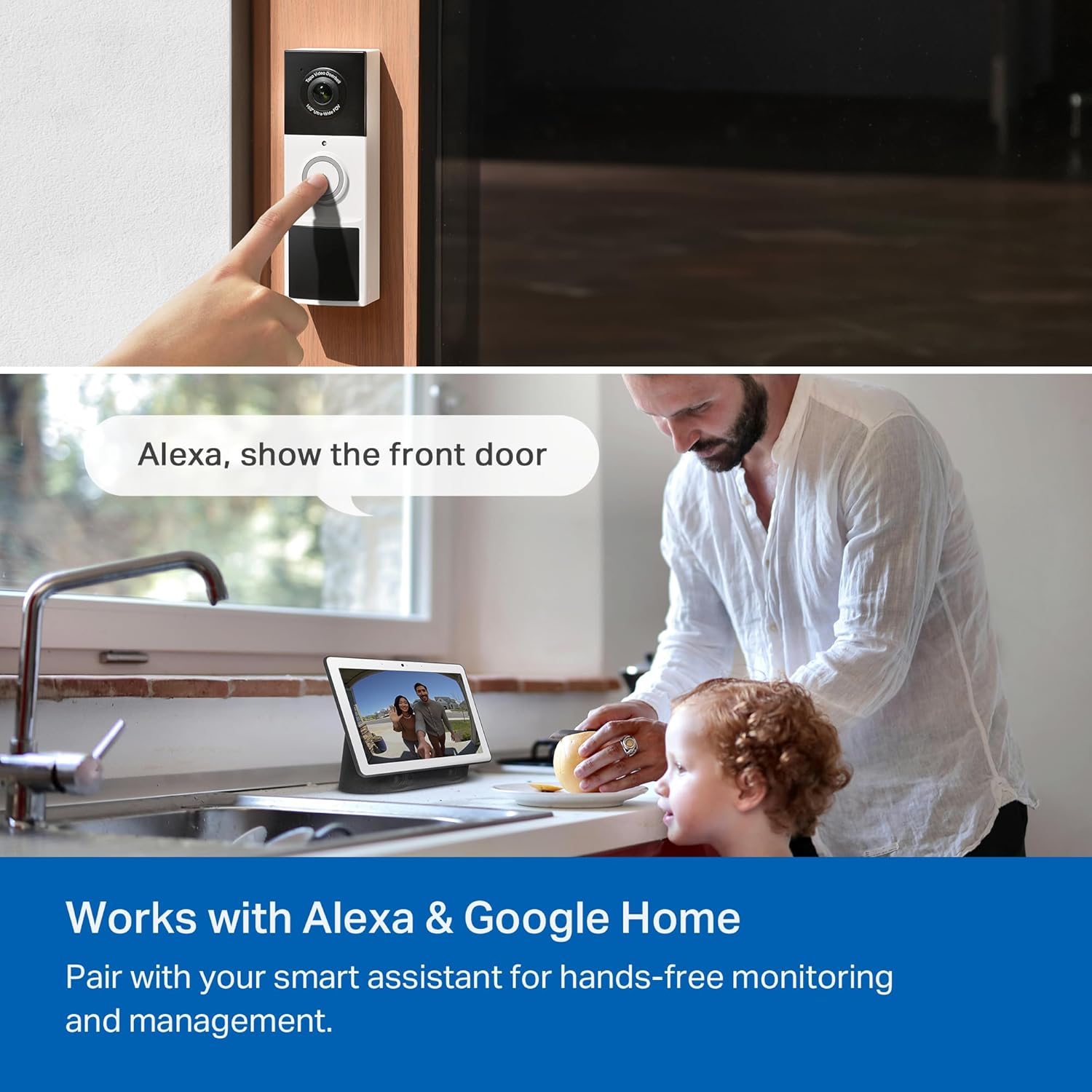
No, the Tapo D210 does not support Apple HomeKit. It works with Amazon Alexa and Google Assistant for voice commands and viewing on smart displays. If HomeKit compatibility is essential, consider alternatives like the Logitech Circle View Doorbell or Netatmo Smart Video Doorbell. However, the Tapo app provides robust control and viewing options on iOS devices, so HomeKit absence may not be a dealbreaker depending on your smart home ecosystem preferences.